Turn a Photo into a Coloring Page
Make a personal coloring page from your own photo. Preview the result, then download and print.
Upload PhotoYour printable outline appears here
White background. Black lines. Ready to color.

Your photo, ready for a fresh box of crayons.
Move the handle to compare a sample portrait with the outline produced by our local example pipeline. A clear face and uncluttered background give the converter more useful edges to work with.
Illustrative AI-generated source photo, processed by this site’s actual converter. Results vary by photo.
Try your own pictureHow it works
Make a coloring page from a photo without learning a design tool.
Upload your photo
Choose a JPG, PNG, WebP, or supported HEIC file. A bright photo with one obvious subject is the easiest place to start.
Generate
The converter reads the image and draws high-contrast black edges on white. Preview the result before you decide to print it.
Download & Print
Save a PNG for editing or choose an A4 or US Letter PDF for direct printing. Keep the file on your own device.
Ideas for your first coloring page
These sample photos were converted by the local outline pipeline. They show its results and limitations; live output may differ if the image-editing backend is enabled.
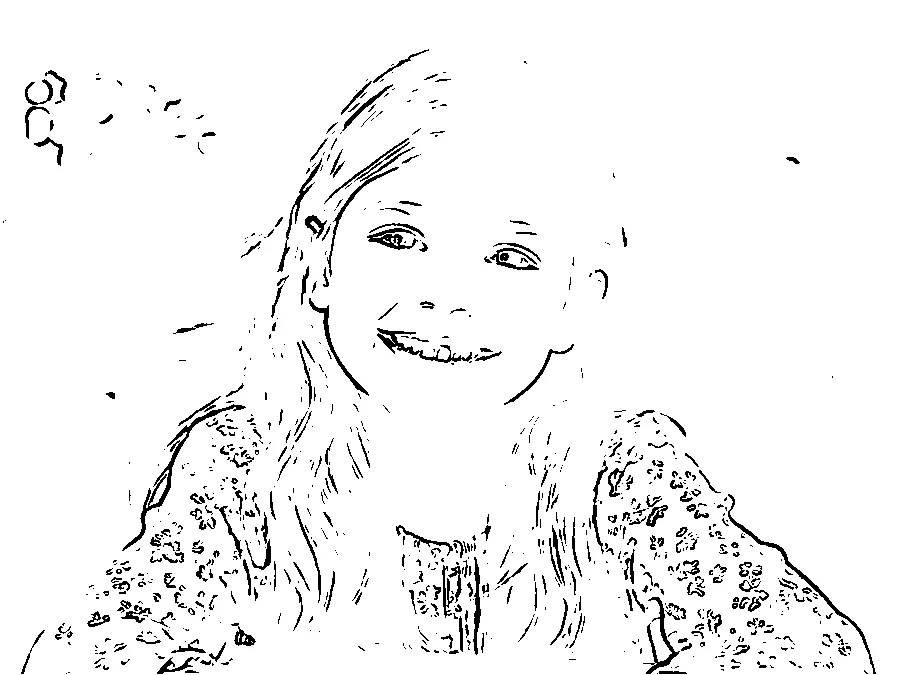
A favorite face, made personal
A single portrait can turn into a birthday activity or a rainy-day project. Choose a close-up with even light so the eyes, smile, and hair stay recognizable.
Works best: one person, uncluttered background.
Upload your photo
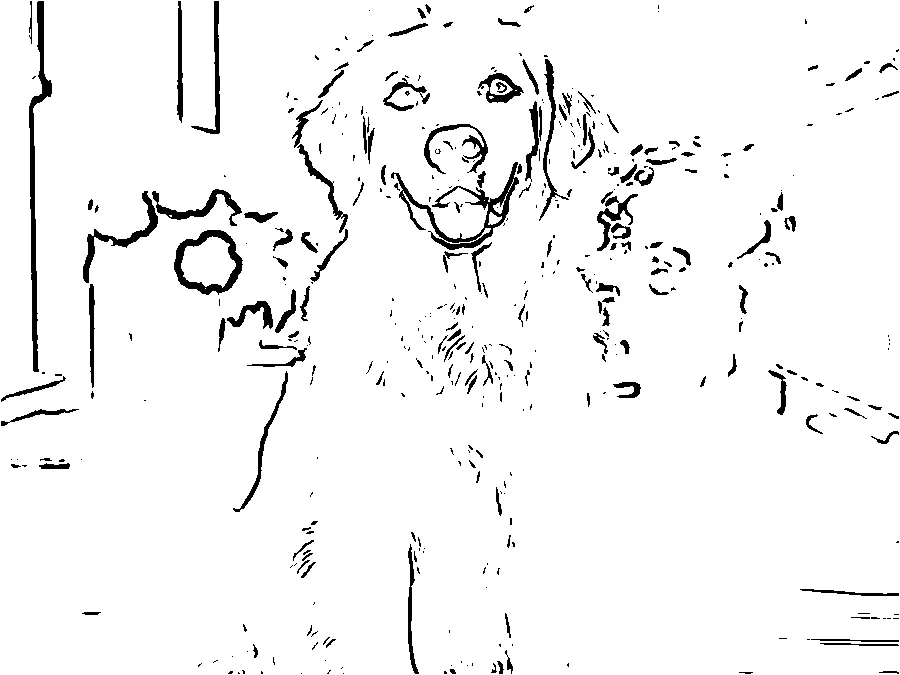
Let the family pet join the art table
A pet photo can make a playful page for children who already know every whisker and floppy ear. Fine fur can create extra marks, so a smooth coat and plain background help.
Works best: clear face, strong light, simple setting.
Upload your photo
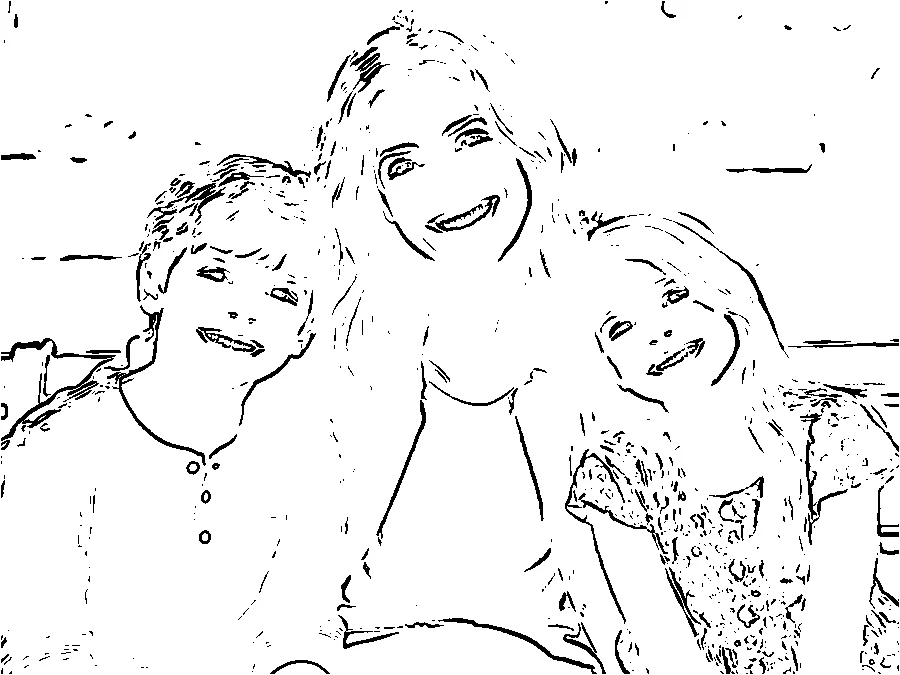
A shared moment to color together
Group photos are fun but more demanding. Give each person enough space in the frame and avoid distant faces. Check the preview carefully before using a page.
Works best: two or three faces, close to the camera.
Upload your photoA little more freedom in every page
Free to try
Make one full-size coloring page before signing up. There is no watermark on the free download.
Print-ready files
Get a 2480 × 3508 PNG with 300 DPI metadata and PDFs sized for A4 or US Letter paper.
Privacy first
The free preview processes photos in your browser. The app does not keep a server-side gallery of originals or results.
Made for home printers
White paper, black lines, and margins around the PDF page help keep art away from the cut edge.
PNG to edit. PDF to print.
Use PNG when you want to work with the image on screen. Use PDF for a one-page print in A4 or US Letter. Check your printer preview and keep a margin around the artwork.
Free preview is open
Make one printable page. Email registration and paid packs are coming later.
Free
$0
One page without an account during this preview.
- Full resolution
- No watermark
- Personal or classroom use
Frequently asked questions
Is it free to turn a photo into a coloring page?+
Yes. The current preview includes one coloring page without signing up. You see your remaining pages before generating.
Do I need to create an account?+
No account is needed. Email registration and extra pages are not open during this preview.
What happens to my photo?+
The free preview creates the PNG and PDFs in your browser. Your photo is not uploaded to our server. We record the anonymous page count; see Privacy for details.
What photos work best?+
Choose a well-lit photo with a clear subject, good contrast, and a simple background. Small faces, busy scenery, and fine fur are harder to turn into clean outlines.
How long does generation take?+
Most photos process in a few moments, depending on image size and your device. We show a processing message rather than an estimated percentage.
What can I download?+
You can download a 2480 × 3508 pixel PNG with 300 DPI metadata, an A4 PDF, or a US Letter PDF. The PDFs fit the image inside print margins.
What if my print looks faint or cropped?+
Choose the matching A4 or US Letter PDF, check the printer preview, and use fit-to-page if your printer clips the edges. If the lines are too faint, try a photo with a simpler background and clearer lighting.
Can I sell the coloring pages I make?+
The free preview is for personal and classroom use. Commercial licensing is not available yet.
Does a failed generation use a page?+
No. A page is deducted only after your browser creates the PNG and both PDF formats and confirms the count with our server. A failed attempt can be retried.
How can I contact you?+
Email the support address in the footer. Include a description of the problem, but do not email a private photo unless you choose to share it.